QorpQorp
Log inGet Started
HOW IT WORKS

Three moves from scattered to one workspace

No migration project, no six-week onboarding. Bring the agency's data in, and the AI Director starts working from it immediately.

HOW IT WORKS

Three moves from scattered to one workspace

01
Bring the agency in
Clients, projects, invoices, and the content calendar land in one workspace instead of ten tabs.
02
Let the Director run point
Ask what needs attention. It reads the live pipeline and revenue, then drafts the next move.
03
Ship with the AI modules
Audits, cost estimates, apparel concepts, and outreach — generated without leaving the workspace.
STEP ONE
Bring the agency in

Clients, projects, invoices, proposals, and the content calendar move into one workspace. Every record becomes a node the Director can read — nothing sits in a spreadsheet the AI can't see.
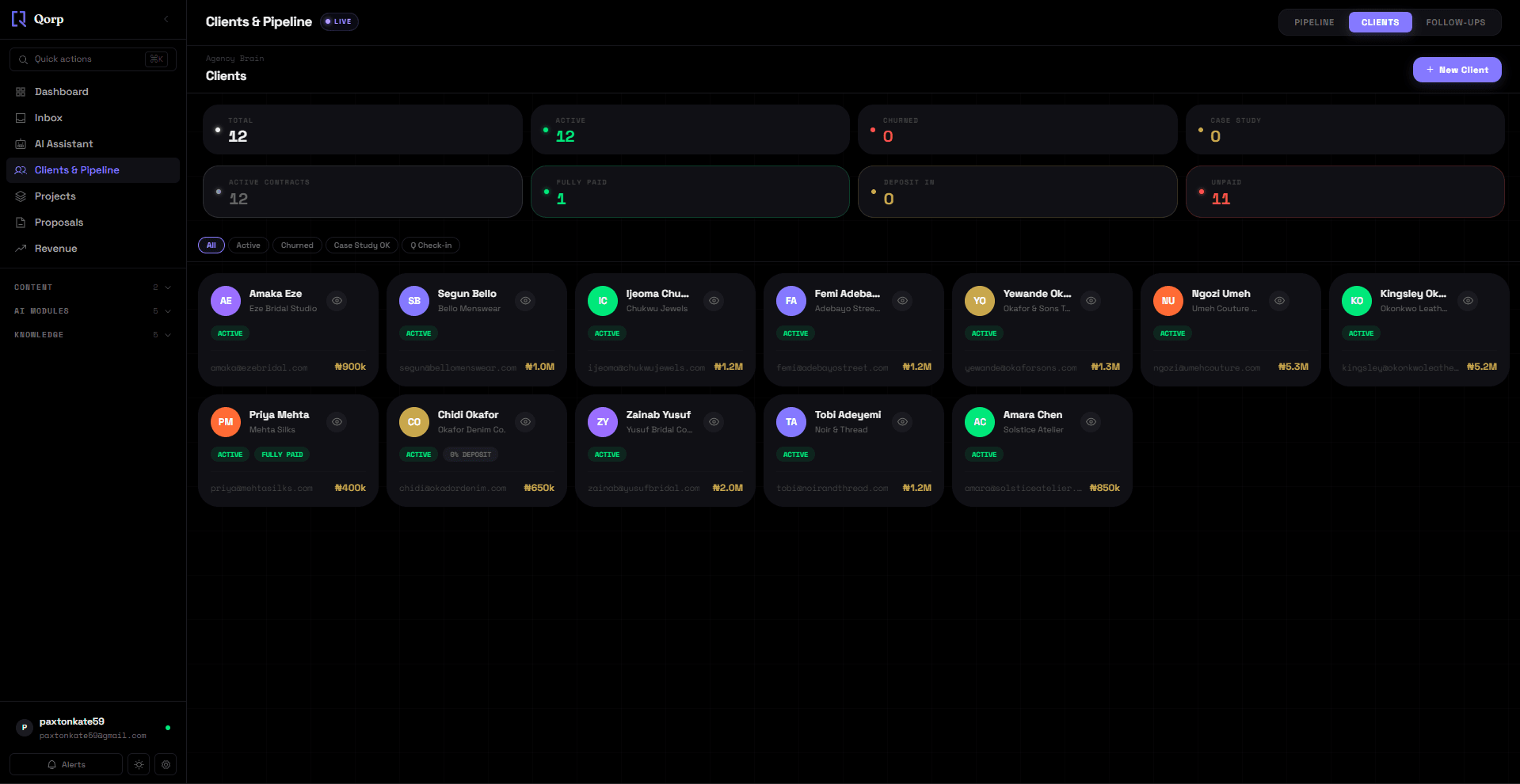
Import or add clients and active deals
Projects link automatically to their invoices and proposals
Content calendar tracks what ships and when
qorp.app/agency?tab=clients
Clients list with contract and payment status
STEP TWO
Let the Director run point

The AI Director sits across the whole workspace, not one tool. Ask what needs attention today and it reads your live pipeline and revenue before answering — then drafts the follow-up, brief, or note for you to send.
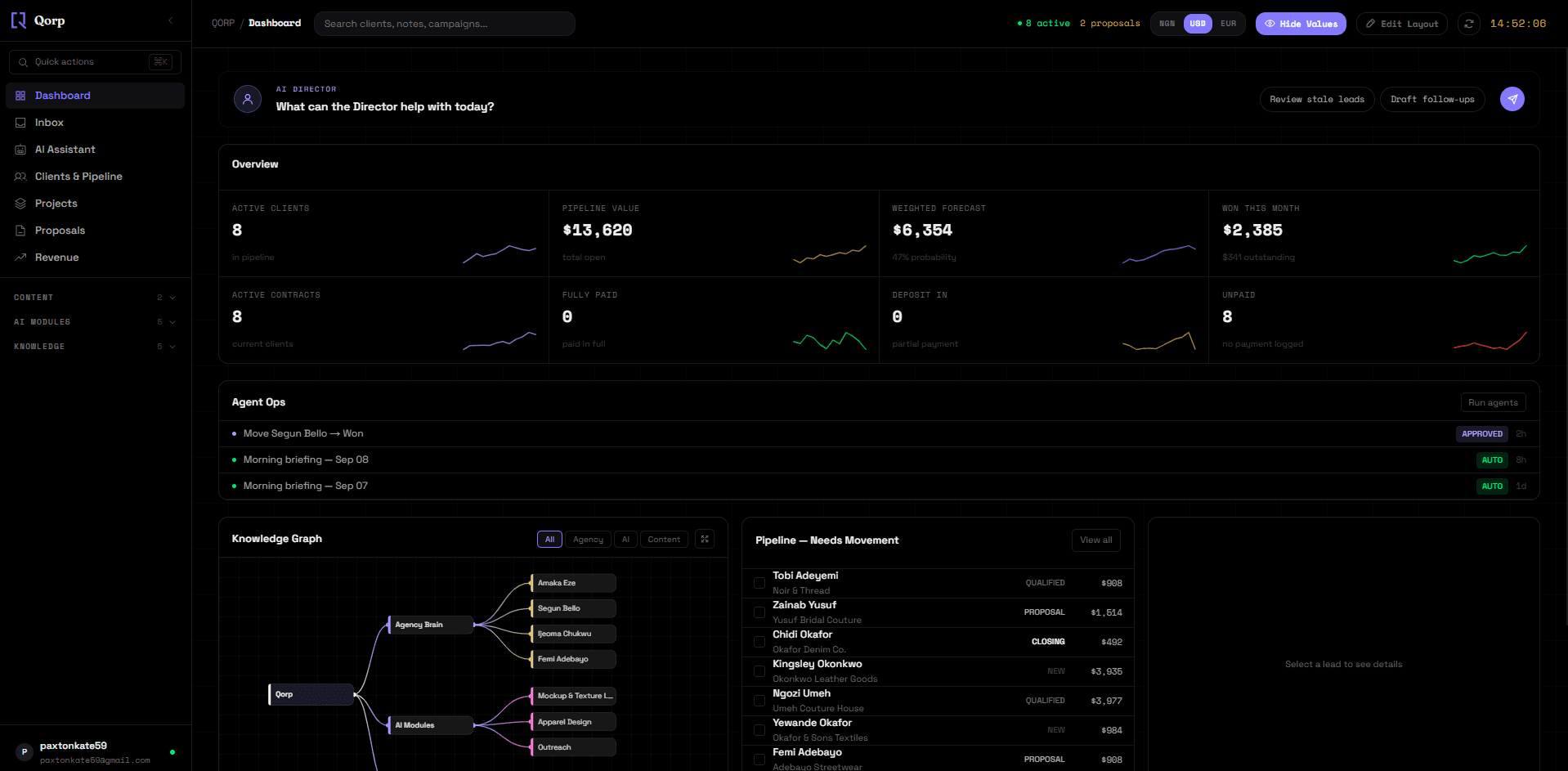
Answers from your actual data, not a script
Drafts follow-ups, briefs, and notes on request
One conversation, every module — no switching context
qorp.app/overview
Dashboard with the AI Director and live pipeline stats
STEP THREE
Ship with the AI modules

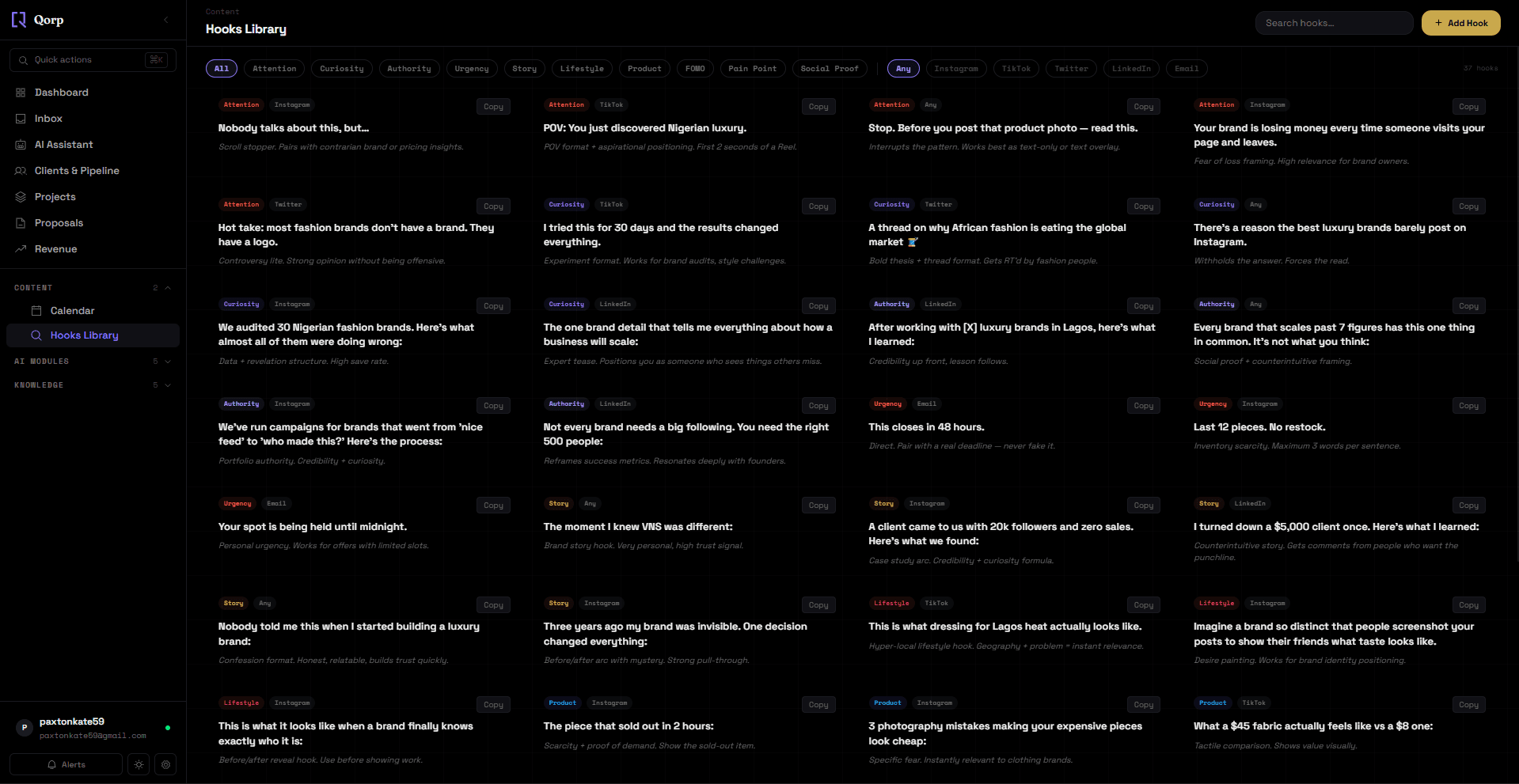
Brand audits, cost estimates, apparel concepts, and content hooks generate inside the same workspace as the pipeline they feed. A hook or concept the Director surfaces for a client links straight back to that client's record.
AI Brand Audit scores palette, voice, and positioning in minutes
Hooks Library gives content a starting angle instead of a blank draft
Apparel Design Studio and AI Outreach run without leaving the tab
qorp.app/creative/hooks
Hooks Library filtered by angle and platform
STEP FOUR
Watch it stay connected

The Knowledge Graph is the map underneath all of it — every client, project, invoice, and AI agent is a node with real edges between them. Follow any connection and you land on the actual record, not a static report.
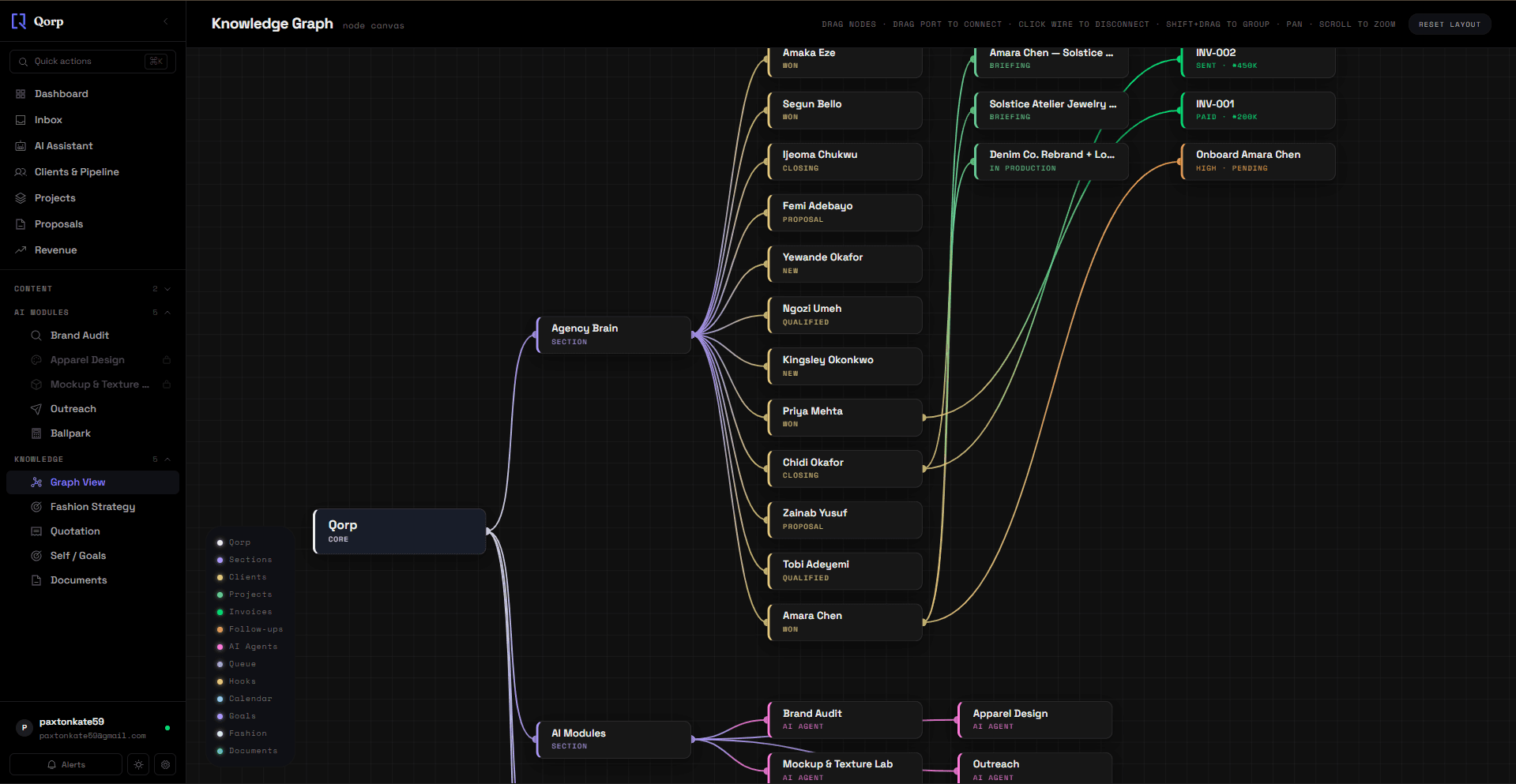
Filter the graph by agency, AI, or content
Click any node to jump straight into that record
The graph updates as the workspace does — no separate sync step
qorp.app/graph
Knowledge Graph node canvas

Run your agency from one AI workspace.

Start free. Upgrade when the AI modules start paying for themselves.

Get Started Free
QORP · MADE BY VELO NOIR STUDIO